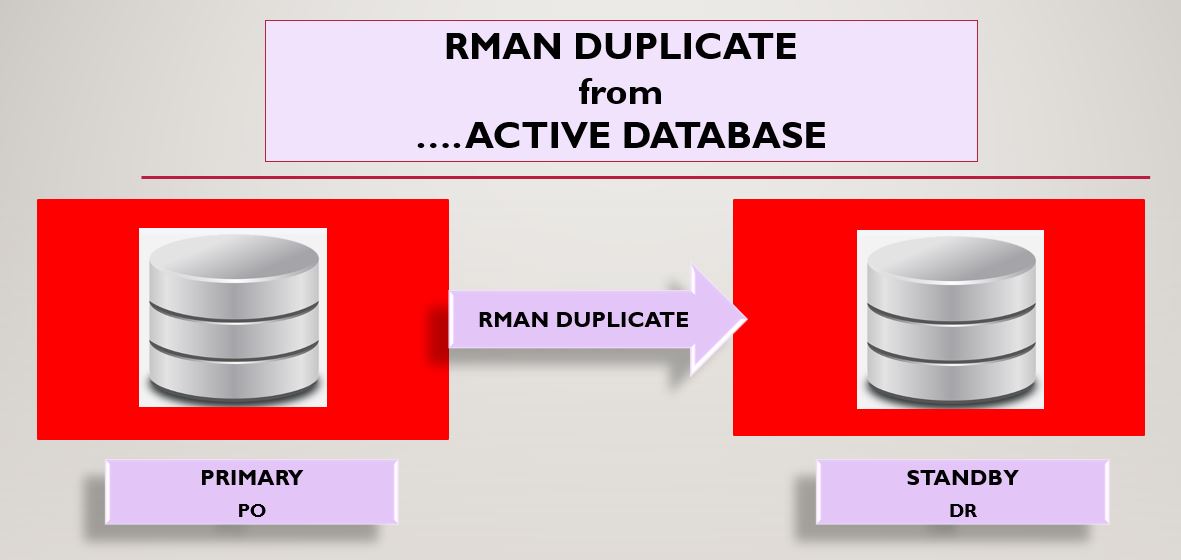
Primary Database Name: PO
Primary DB Unique Name: PO
Primary Database Version: 19.0.0.0
Standby Database Name: PO
Standby DB Unique Name: DR
Operating System: Windows 10 Pro 64 Bit
Note: Creating Physical Standby database using RMAN DUPLICATE ...FROM ACTIVE DATABASE command does not require to shut down the primary database. Also, it does not require any backup. This is the feature of Oracle 11g where it duplicates to standby database without any backup.
Here, I am creating Physical Standby database on same server where my primary is located. So, the below details will be common for both Primary and Standby DBs.
- tnsnames.ora
- listener.ora
- ORACLE_HOME binaries
Step 1: Create separate directories for DR database. Check existing database directories like data files, control files, redo log files, archived log files, etc. Double check the directories that you added in your pfile and duplicate command.
SQL> set lines 300 pages 3000
SQL> col name for a12
SQL> col FORCE_LOGGING for a12
SQL> col DB_UNIQUE_NAME for a12
SQL> select name,db_unique_name,open_mode,database_role,protection_mode,force_logging,log_mode from v$database;
NAME DB_UNIQUE_NA OPEN_MODE DATABASE_ROLE PROTECTION_MODE FORCE_LOGGIN LOG_MODE
----- ------------ ----------- ------------- ------------------ ------------ ----------
PO PO READ WRITE PRIMARY MAXIMUM PROTECTION YES ARCHIVELOG
SQL> set lines 300 pages 3000
SQL> col name for a56
SQL> select name from v$datafile;
NAME
-----------------------------------------------
D:\RUPESH\APP\RGHUBADE\ORADATA\PO\SYSTEM01.DBF
D:\RUPESH\APP\RGHUBADE\ORADATA\PO\DATA01.DBF
D:\RUPESH\APP\RGHUBADE\ORADATA\PO\SYSAUX01.DBF
D:\RUPESH\APP\RGHUBADE\ORADATA\PO\UNDOTBS02.DBF
SQL> select name from v$tempfile;
NAME
--------------------------------------------
D:\RUPESH\APP\RGHUBADE\ORADATA\PO\TEMP01.DBF
D:\RUPESH\APP\RGHUBADE\ORADATA\PO\TEMP02.DBF
SQL> select name from v$controlfile;
NAME
-----------------------------------------------
D:\RUPESH\APP\RGHUBADE\ORADATA\PO\CONTROL01.CTL
D:\RUPESH\APP\RGHUBADE\ORADATA\PO\CONTROL02.CTL
SQL> archive log list;
Database log mode Archive Mode
Automatic archival Enabled
Archive destination D:\RUPESH\app\rghubade\oradata\PO\archive
Oldest online log sequence 691
Next log sequence to archive 693
Current log sequence 693
SQL> show parameter log_archive_dest_1
NAME TYPE VALUE
--------------------- ------- ------------------------------
log_archive_dest_1 string LOCATION=D:\RUPESH\app\rghubad
e\oradata\PO\archive
If you have not enabled force_logging mode in the database then you can enable it by below command:
SQL> alter database force logging;
Database altered.
SQL> select force_logging from v$database;
FORCE_LOGGING
-----------------
YES
Below is the pfile "INITDR.ORA" for duplicate standby database to be created.
*._readable_standby_sync_timeout=60
*.audit_file_dest='D:\RUPESH\Setups\DR\adump'
*.audit_trail='db'
*.compatible='19.0.0'
*.control_files='D:\RUPESH\Setups\DR\control01.ctl','D:\RUPESH\Setups\DR\control02.ctl'
*.db_block_size=8192
*.db_keep_cache_size=218103808
*.db_name='PO'
*.db_unique_name='DR'
*.diagnostic_dest='D:\RUPESH\app\rghubade'
*.log_archive_dest_1='LOCATION=D:\RUPESH\Setups\DR\archive'
*.log_archive_format='%t_%s_%r.arc'
*.nls_language='AMERICAN'
*.nls_territory='AMERICA'
*.open_cursors=300
*.pga_aggregate_limit=3221225472
*.pga_aggregate_target=1073741824
*.processes=1000
*.remote_login_passwordfile='EXCLUSIVE'
*.sga_target=4831m
*.undo_tablespace='UNDOTBS_NEW'
*.standby_file_management='AUTO'
*.log_archive_config='dg_config=(PO,DR)'
*.db_create_file_dest='D:\RUPESH\Setups\DR'
*.DB_CREATE_ONLINE_LOG_DEST_1='D:\RUPESH\Setups\DR'
Step 2: Create password file for duplicate database "DR" or you can copy existing database password file and rename it as PWDDR.ora.
Step 3: Configure tnsnames.ora and listener.ora file for both Primary and Standby(DR) database.
Note: Please add your actual IP adress in below network files instead of *.*.*.*.
The contents of tnsnames.ora
PO =
(DESCRIPTION =
(ADDRESS_LIST =
(ADDRESS = (PROTOCOL = TCP)(HOST = *.*.*.*)(PORT = 1530))
)
(CONNECT_DATA =
(SERVICE_NAME = PO)
)
)
DR =
(DESCRIPTION =
(ADDRESS_LIST =
(ADDRESS = (PROTOCOL = TCP)(HOST = *.*.*.*)(PORT = 1531))
)
(CONNECT_DATA =
(SERVICE_NAME = DR)
)
)
The contents of listener.ora
LISTENER_PO =
(DESCRIPTION_LIST =
(DESCRIPTION =
(ADDRESS = (PROTOCOL = IPC)(KEY = EXTPROC2))
(ADDRESS = (PROTOCOL = TCP)(HOST = *.*.*.*)(PORT = 1530))
)
)
SID_LIST_LISTENER_PO =
(SID_LIST =
(SID_DESC =
(GLOBAL_DBNAME = PO)
(ORACLE_HOME = D:\RUPESH\Setups\WINDOWS.X64_193000_db_home)
(SID_NAME = PO)
)
)
LISTENER_DR =
(DESCRIPTION_LIST =
(DESCRIPTION =
(ADDRESS = (PROTOCOL = IPC)(KEY = EXTPROC1))
(ADDRESS = (PROTOCOL = TCP)(HOST = *.*.*.*)(PORT = 1531))
)
)
SID_LIST_LISTENER_DR =
(SID_LIST =
(SID_DESC =
(GLOBAL_DBNAME = DR)
(ORACLE_HOME = D:\RUPESH\Setups\WINDOWS.X64_193000_db_home)
(SID_NAME = DR)
)
)
Step 4: Make below parameter changes in your Primary database.
SQL> alter system set log_archive_dest_2='service=DR LGWR ASYNC valid_for=(all_logfiles,all_roles) db_unique_name=DR';
SQL> alter system set log_archive_config='dg_config=(PO,DR)';
SQL> show parameter remote_login_passwordfile
NAME TYPE VALUE
-------------------------- ------- -----------
remote_login_passwordfile string EXCLUSIVE
SQL> show parameter log_archive_dest_1
NAME TYPE VALUE
-------------------- ------ ------------------------------
log_archive_dest_1 string LOCATION=D:\RUPESH\app\rghubad
e\oradata\PO\archive
NAME TYPE VALUE
-------------------- ------ ------------------------------
log_archive_dest_2 string service=DR LGWR ASYNC va
lid_for=(all_logfiles,all_role
s) db_unique_name=DR
NAME TYPE VALUE
-------------------- ------ ------------------------------
log_archive_config string dg_config=(PO,DR)
Step 5: Create service for Standby(DR) database as below:
oradim -NEW -SID DR -syspwd sys123 -STARTMODE auto -PFILE D:\RUPESH\Setups\WINDOWS.X64_193000_db_home\database\INITDR.ORA
Ensure below services are running in services.msc
- OracleServiceDR
- OracleOraDB19Home1TNSListenerLISTENER_PO
- OracleOraDB19Home1TNSListenerLISTENER_DR
C:\windows\system32>tnsping po
TNS Ping Utility for 64-bit Windows: Version 19.0.0.0.0 - Production on 30-MAR-2023 21:38:48
Copyright (c) 1997, 2022, Oracle. All rights reserved.
Used parameter files:
D:\RUPESH\Setups\WINDOWS.X64_193000_db_home\network\admin\sqlnet.ora
Used TNSNAMES adapter to resolve the alias
Attempting to contact (DESCRIPTION = (SDU = 65535) (ADDRESS_LIST = (ADDRESS = (PROTOCOL = TCP)(HOST = *.*.*.*)(PORT = 1530))) (CONNECT_DATA = (SERVICE_NAME = PO)))
OK (0 msec)
C:\windows\system32>tnsping dr
TNS Ping Utility for 64-bit Windows: Version 19.0.0.0.0 - Production on 25-MAR-2023 23:18:44
Copyright (c) 1997, 2022, Oracle. All rights reserved.
Used parameter files:
D:\RUPESH\Setups\WINDOWS.X64_193000_db_home\network\admin\sqlnet.ora
Used TNSNAMES adapter to resolve the alias
Attempting to contact (DESCRIPTION = (ADDRESS_LIST = (ADDRESS = (PROTOCOL = TCP)(HOST = *.*.*.*)(PORT = 1531))) (CONNECT_DATA = (SERVICE_NAME = DR)))
OK (0 msec)
C:\windows\system32> set ORACLE_SID=DR
C:\windows\system32>set o
ORACLE_SID=DR
OS=Windows_NT
C:\windows\system32>sqlplus / as sysdba
SQL*Plus: Release 19.0.0.0.0 - Production on Sat Mar 25 23:32:29 2023
Version 19.16.0.0.0
Copyright (c) 1982, 2022, Oracle. All rights reserved.
Connected to an idle instance.
SQL> startup nomount pfile='D:\RUPESH\Setups\WINDOWS.X64_193000_db_home\database\INITDR.ORA';
ORACLE instance started.
Total System Global Area 5066718192 bytes
Fixed Size 9038832 bytes
Variable Size 889192448 bytes
Database Buffers 4160749568 bytes
Redo Buffers 7737344 bytes
Verify sqlplus connectivity for both Primary and Standby(DR) database.
C:\windows\system32>sqlplus sys/sys123@PO as sysdba
SQL*Plus: Release 19.0.0.0.0 - Production on Sat Mar 25 23:36:20 2023
Version 19.16.0.0.0
Copyright (c) 1982, 2022, Oracle. All rights reserved.
Connected to:
Oracle Database 19c Enterprise Edition Release 19.0.0.0.0 - Production
Version 19.16.0.0.0
SQL> select name,open_mode from v$database;
NAME OPEN_MODE
--------- --------------------
PO READ WRITE
C:\windows\system32>sqlplus sys/sys123@DR as sysdba
SQL*Plus: Release 19.0.0.0.0 - Production on Sat Mar 25 23:36:27 2023
Version 19.16.0.0.0
Copyright (c) 1982, 2022, Oracle. All rights reserved.
Connected to:
Oracle Database 19c Enterprise Edition Release 19.0.0.0.0 - Production
Version 19.16.0.0.0
SQL> select name,open_mode from v$database;
select name,open_mode from v$database
*
ERROR at line 1:
ORA-01507: database not mounted
C:\windows\system32>rman target sys/sys123@PO auxiliary sys/sys123@DR
Recovery Manager: Release 19.0.0.0.0 - Production on Sat Mar 25 23:44:58 2023
Version 19.16.0.0.0
Copyright (c) 1982, 2022, Oracle and/or its affiliates. All rights reserved.
connected to target database: PO (DBID=2972374659)
connected to auxiliary database: PO (not mounted)
RMAN> run {
2> allocate channel d1 type disk;
3> allocate channel d2 type disk;
4> allocate auxiliary channel a1 type DISK;
5> allocate auxiliary channel a2 type DISK;
6> duplicate target database for standby from active database nofilenamecheck dorecover;
7> }
using target database control file instead of recovery catalog
allocated channel: d1
channel d1: SID=777 device type=DISK
allocated channel: d2
channel d2: SID=967 device type=DISK
allocated channel: a1
channel a1: SID=196 device type=DISK
allocated channel: a2
channel a2: SID=387 device type=DISK
Starting Duplicate Db at 25-MAR-23
current log archived
contents of Memory Script:
{
backup as copy reuse
passwordfile auxiliary format 'D:\RUPESH\Setups\WINDOWS.X64_193000_db_home\DATABASE\PWDdr.ORA' ;
}
executing Memory Script
Starting backup at 25-MAR-23
Finished backup at 25-MAR-23
duplicating Online logs to Oracle Managed File (OMF) location
duplicating Datafiles to Oracle Managed File (OMF) location
contents of Memory Script:
{
restore clone from service 'PO' standby controlfile;
}
executing Memory Script
Starting restore at 25-MAR-23
channel a1: starting datafile backup set restore
channel a1: using network backup set from service PO
channel a1: restoring control file
channel a1: restore complete, elapsed time: 00:00:01
output file name=D:\RUPESH\SETUPS\DR\CONTROL01.CTL
output file name=D:\RUPESH\SETUPS\DR\CONTROL02.CTL
Finished restore at 25-MAR-23
contents of Memory Script:
{
sql clone 'alter database mount standby database';
}
executing Memory Script
sql statement: alter database mount standby database
contents of Memory Script:
{
set newname for clone tempfile 1 to new;
set newname for clone tempfile 2 to new;
switch clone tempfile all;
set newname for clone datafile 1 to new;
set newname for clone datafile 2 to new;
set newname for clone datafile 3 to new;
set newname for clone datafile 5 to new;
restore
from nonsparse from service
'PO' clone database
;
sql 'alter system archive log current';
}
executing Memory Script
executing command: SET NEWNAME
executing command: SET NEWNAME
renamed tempfile 1 to D:\RUPESH\SETUPS\DR\DR\DATAFILE\O1_MF_TEMP_%U_.TMP in control file
renamed tempfile 2 to D:\RUPESH\SETUPS\DR\DR\DATAFILE\O1_MF_TEMP2_%U_.TMP in control file
executing command: SET NEWNAME
executing command: SET NEWNAME
executing command: SET NEWNAME
executing command: SET NEWNAME
Starting restore at 25-MAR-23
channel a1: starting datafile backup set restore
channel a1: using network backup set from service PO
channel a1: specifying datafile(s) to restore from backup set
channel a1: restoring datafile 00001 to D:\RUPESH\SETUPS\DR\DR\DATAFILE\O1_MF_SYSTEM_%U_.DBF
channel a2: starting datafile backup set restore
channel a2: using network backup set from service PO
channel a2: specifying datafile(s) to restore from backup set
channel a2: restoring datafile 00002 to D:\RUPESH\SETUPS\DR\DR\DATAFILE\O1_MF_TEST_%U_.DBF
channel a2: restore complete, elapsed time: 00:00:15
channel a2: starting datafile backup set restore
channel a2: using network backup set from service PO
channel a2: specifying datafile(s) to restore from backup set
channel a2: restoring datafile 00003 to D:\RUPESH\SETUPS\DR\DR\DATAFILE\O1_MF_SYSAUX_%U_.DBF
channel a1: restore complete, elapsed time: 00:00:19
channel a1: starting datafile backup set restore
channel a1: using network backup set from service PO
channel a1: specifying datafile(s) to restore from backup set
channel a1: restoring datafile 00005 to D:\RUPESH\SETUPS\DR\DR\DATAFILE\O1_MF_UNDOTBS__%U_.DBF
channel a1: restore complete, elapsed time: 00:00:07
channel a2: restore complete, elapsed time: 00:00:28
Finished restore at 25-MAR-23
sql statement: alter system archive log current
current log archived
contents of Memory Script:
{
restore clone force from service 'PO'
archivelog from scn 9518522;
switch clone datafile all;
}
executing Memory Script
Starting restore at 25-MAR-23
channel a1: starting archived log restore to default destination
channel a1: using network backup set from service PO
channel a1: restoring archived log
archived log thread=1 sequence=239
channel a2: starting archived log restore to default destination
channel a2: using network backup set from service PO
channel a2: restoring archived log
archived log thread=1 sequence=240
channel a1: restore complete, elapsed time: 00:00:00
channel a2: restore complete, elapsed time: 00:00:01
Finished restore at 25-MAR-23
datafile 1 switched to datafile copy
input datafile copy RECID=5 STAMP=1132443964 file name=D:\RUPESH\SETUPS\DR\DR\DATAFILE\O1_MF_SYSTEM_L1YGKQ3B_.DBF
datafile 2 switched to datafile copy
input datafile copy RECID=6 STAMP=1132443965 file name=D:\RUPESH\SETUPS\DR\DR\DATAFILE\O1_MF_TEST_L1YGKQ99_.DBF
datafile 3 switched to datafile copy
input datafile copy RECID=7 STAMP=1132443965 file name=D:\RUPESH\SETUPS\DR\DR\DATAFILE\O1_MF_SYSAUX_L1YGL6FC_.DBF
datafile 5 switched to datafile copy
input datafile copy RECID=8 STAMP=1132443965 file name=D:\RUPESH\SETUPS\DR\DR\DATAFILE\O1_MF_UNDOTBS__L1YGL9O2_.DBF
contents of Memory Script:
{
set until scn 9518705;
recover
standby
clone database
delete archivelog
;
}
executing Memory Script
executing command: SET until clause
Starting recover at 25-MAR-23
starting media recovery
archived log for thread 1 with sequence 239 is already on disk as file D:\RUPESH\SETUPS\DR\ARCHIVE\1_239_1084451655.ARC
archived log for thread 1 with sequence 240 is already on disk as file D:\RUPESH\SETUPS\DR\ARCHIVE\1_240_1084451655.ARC
archived log file name=D:\RUPESH\SETUPS\DR\ARCHIVE\1_239_1084451655.ARC thread=1 sequence=239
archived log file name=D:\RUPESH\SETUPS\DR\ARCHIVE\1_240_1084451655.ARC thread=1 sequence=240
media recovery complete, elapsed time: 00:00:01
Finished recover at 25-MAR-23
contents of Memory Script:
{
delete clone force archivelog all;
}
executing Memory Script
deleted archived log
archived log file name=D:\RUPESH\SETUPS\DR\ARCHIVE\1_239_1084451655.ARC RECID=1 STAMP=1132443963
Deleted 1 objects
deleted archived log
archived log file name=D:\RUPESH\SETUPS\DR\ARCHIVE\1_240_1084451655.ARC RECID=2 STAMP=1132443963
Deleted 1 objects
Finished Duplicate Db at 25-MAR-23
released channel: d1
released channel: d2
released channel: a1
released channel: a2
RMAN> exit
Recovery Manager complete.
C:\windows\system32>
SQL> select name,open_mode,database_role from v$database;
NAME OPEN_MODE DATABASE_ROLE
--------- -------------------- ----------------
PO MOUNTED PHYSICAL STANDBY
Primary:
SQL> select name,open_mode,database_role from v$database;
NAME OPEN_MODE DATABASE_ROLE
--------- ----------- -------------
PO READ WRITE PRIMARY
SQL> select dest_id,error from v$archive_dest;
DEST_ID ERROR
---------- ---------
1
2
3
4
5
6
7
8
9
10
11
12
13
14
15
16
17
18
19
20
21
22
23
24
25
26
27
28
29
30
31
32
32 rows selected.
Below FAL parameters are optional which are not mandatory. I have not set these parameters.
SQL> show parameter fal
NAME TYPE VALUE
-------------- ----------- ------
fal_client string
fal_server string
SQL> select max(sequence#) from v$archived_log;
MAX(SEQUENCE#)
--------------
241
SQL> alter system switch logfile;
System altered.
SQL> /
System altered.
SQL> /
System altered.
SQL> /
System altered.
SQL>
SQL> /
System altered.
SQL> /
System altered.
SQL> select max(sequence#) from v$archived_log;
MAX(SEQUENCE#)
--------------
247
Standby:
SQL> select name,open_mode,database_role from v$database;
NAME OPEN_MODE DATABASE_ROLE
--------- ----------- ----------------
PO MOUNTED PHYSICAL STANDBY
SQL> select max(sequence#) from v$archived_log where applied='YES';
MAX(SEQUENCE#)
--------------
240
SQL> /
MAX(SEQUENCE#)
--------------
240
SQL> /
MAX(SEQUENCE#)
--------------
240
SQL> /
MAX(SEQUENCE#)
--------------
240
SQL> /
MAX(SEQUENCE#)
--------------
240
SQL> select process,status from v$managed_standby;
PROCESS STATUS
--------- ------------
DGRD ALLOCATED
ARCH CONNECTED
DGRD ALLOCATED
ARCH CONNECTED
ARCH CONNECTED
ARCH CONNECTED
RFS IDLE
RFS IDLE
RFS IDLE
9 rows selected.
SQL> recover managed standby database disconnect from session;
Media recovery complete.
SQL> select process,status from v$managed_standby;
PROCESS STATUS
--------- ------------
DGRD ALLOCATED
ARCH CONNECTED
DGRD ALLOCATED
ARCH CONNECTED
ARCH CONNECTED
ARCH CONNECTED
RFS IDLE
RFS IDLE
RFS IDLE
MRP0 WAIT_FOR_LOG
SQL> select max(sequence#) from v$archived_log where applied='YES';
MAX(SEQUENCE#)
--------------
247
Thanks for reading this post ! Please comment if you like this post ! Click on FOLLOW to get next blog updates !

0 Comments